


AI-Powered Architecture Design Software for Architects & Engineers
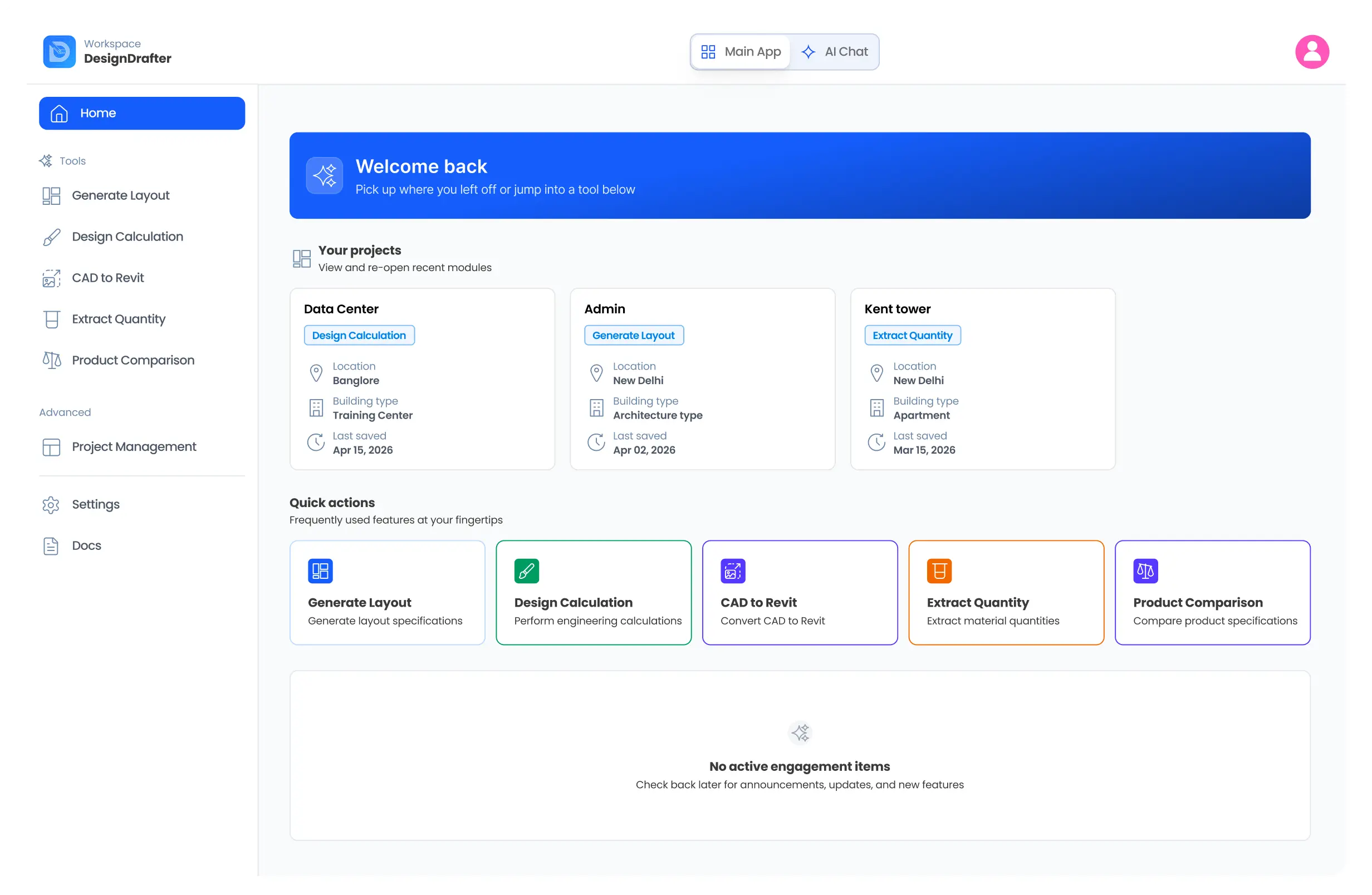
DesignDrafter is an AI-powered architecture design software built for modern AEC professionals. Generate intelligent floor plans, automate MEP calculations, extract accurate quantity takeoffs, and convert CAD files to BIM-ready Revit models - all within a single, unified workspace.
Building Solutions for
Engineering Design Firms
Product Manufacturers
Architects
MEP Consultants
Contractors
End to end solutions
Our Core Features
Generate Floor Plan
“Generate intelligent, build-ready floor plans from your inputs room needs, area constraints, building type and design rules using our architecture design software's AI engine. while AI instantly explores optimized layout options with proper space planning, adjacency logic, and code compliance”
Building Design calculation
“Perform advanced MEP and Civil calculations in minutes from lighting and load analysis to HVAC, plumbing, fire, and structural systems all structured, validated, and aligned with industry standards.”
Smart Drawing Development
“Convert CAD files into structured, editable BIM-ready models for architectural and MEP systems eliminating time-consuming, repetitive modeling and manual data cleanup tasks.”
Generate Quantity Takeoffs
“Automatically extract accurate quantities from layouts and engineering data to generate structured, BOQ-ready outputs reducing manual take-offs, minimizing errors, and saving valuable project time.”
Technical Product Comparison
“Compare equipment, panels, lighting fixtures, HVAC systems, and other building products side-by-side using detailed technical parameters enabling faster, data-driven engineering decisions with confidence.”
AI Design Agent
“Meet your AI-powered engineering co-pilot an intelligent agent that understands architecture design software workflows and executes complex tasks across layouts, MEP calculations, BOQs, validations, and documentation, automating repetitive, time-consuming work with speed and precision. It doesn’t just assist it executes.”
Dive into details
Generate Floor Plan
Design. Iterate. Explore All on One Intelligent Canvas
AI Floor Plan Studio enhances building planning by allowing design and exploration on a powerful canvas. Define requirements, and the AI quickly generates structured, build-ready floor plans. Instantly refine arrangements, optimize space, and validate feasibility in a professional environment for architects and engineers. Render interiors and facades to visualize design intent, transforming concepts into presentation-ready outputs.
Learn more
BIM Automation
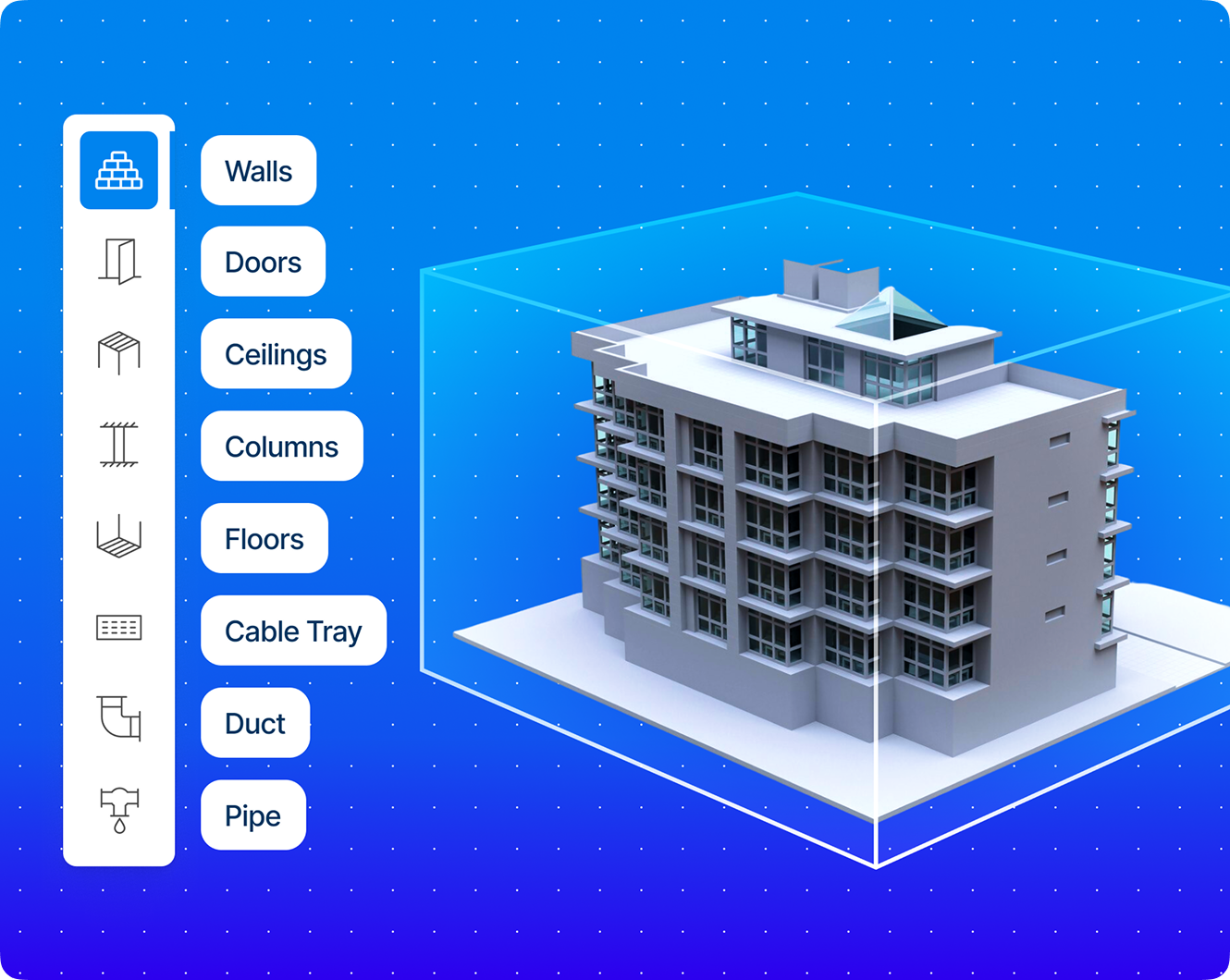
Cad to Revit
CAD to 3D Revit Converter From Lines to Models. Fast-Track Your BIM Transformation. Moving from 2D CAD drawings to intelligent 3D BIM models has never been easier. Our CAD to Revit Converter empowers architects, engineers, and BIM teams to instantly transform legacy CAD layouts into structured, object-based 3D Revit models—ready for coordination, documentation, and analysis. No more time-consuming remodelling or manual redrafting—our converter bridges the gap between traditional drafting and modern BIM workflows in minutes.
Learn more
Design Calculation
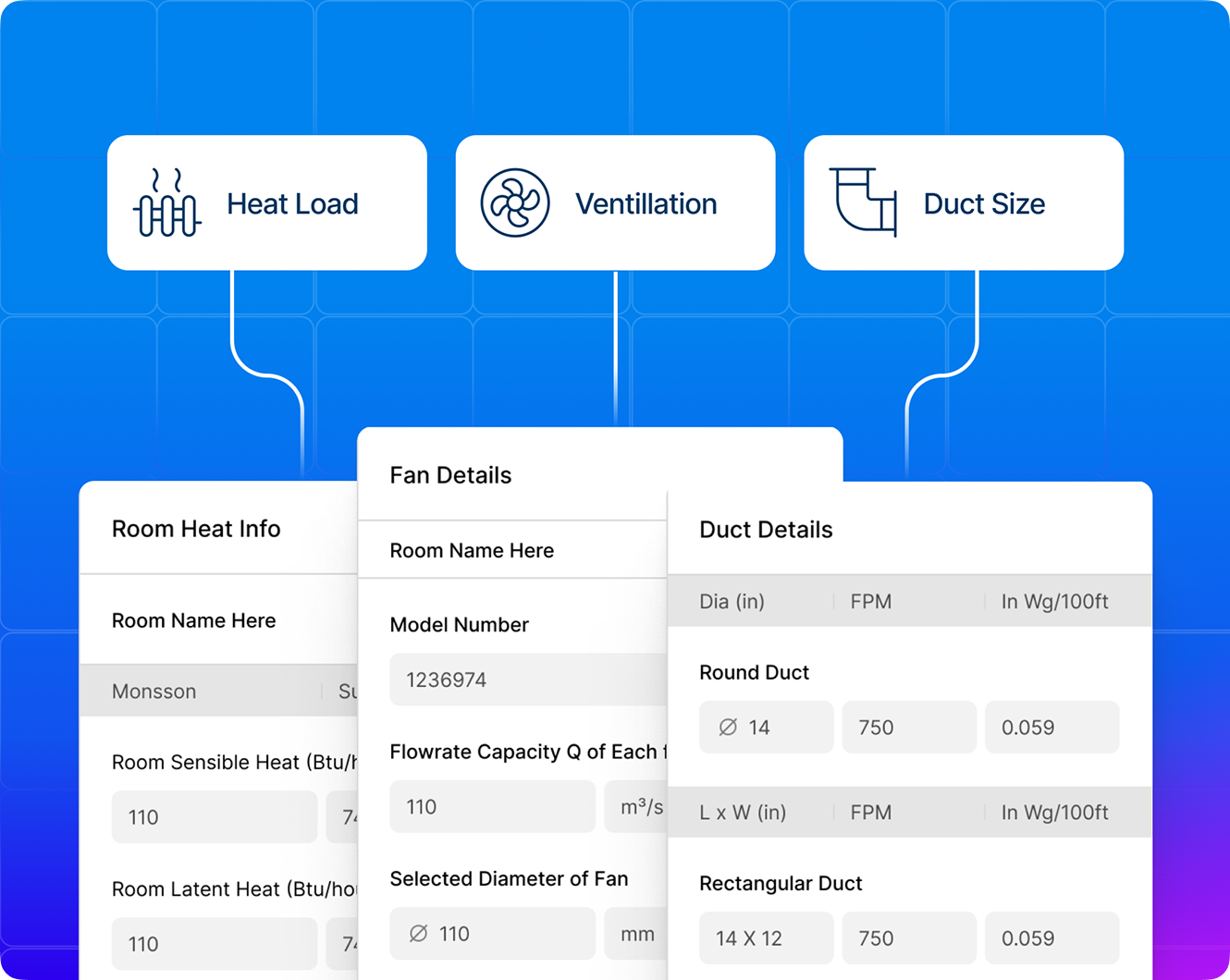
Electrical
Powerfully Designed. Precisely Delivered. Electrical design is at the core of every safe, efficient, and code-compliant building. Our platform offers a fully integrated Electrical Design Calculation engine, enabling consultants and engineers to plan, simulate, and optimize electrical systems - all within a smart, connected workflow. Whether you’re designing for a residential block or a high-rise commercial complex, the platform ensures your electrical layout is load-balanced, properly sized, and technically aligned with IS/IEC standards.
Learn more
Extract Quantity
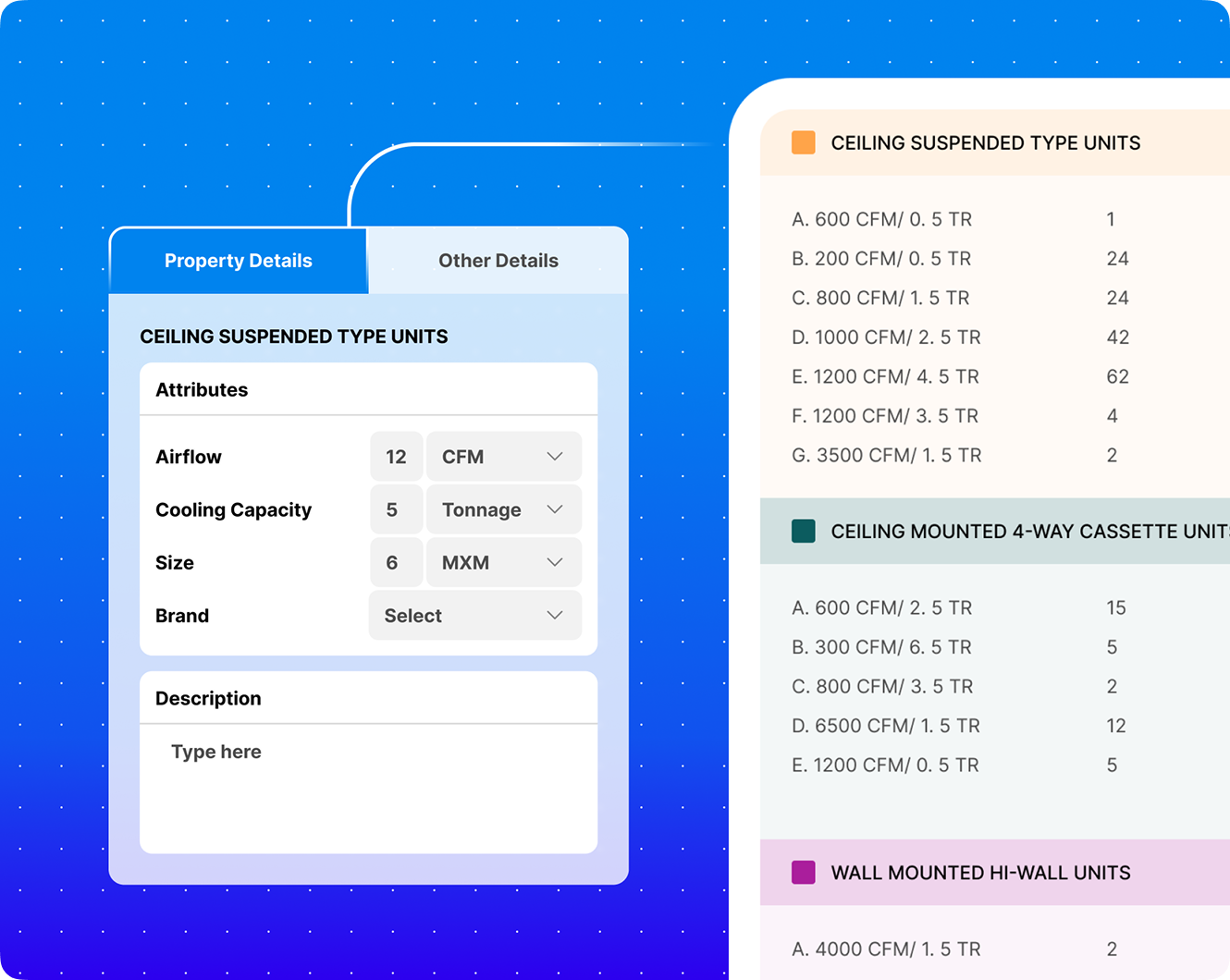
Power Up Your MEP & Architecture Quantity Takeoffs with AI
Whether you're an architect, contractor, estimator, or engineer, our architecture design software gives you AI-powered quantity takeoffs that streamline project planning, reduce costs, and improve accuracy.
Learn more
Product Comparison
Compare & Choose the Best MEP Products
Finding the right MEP (Mechanical, Electrical, and Plumbing) equipment for your project can be overwhelming. With countless brands, specifications, and features, making the perfect choice requires time and effort.
Learn more
AI Design Agent
The AI That Designs With You And For You.
AI Design Agent is your intelligent design assistant, an AI-powered co-pilot for complex tasks. It generates layouts, performs MEP calculations, validates standards, extracts BOQs, and prepares documentation. It understands workflows, remembers project details, and assists at every stage. Define the task, and the AI executes it efficiently.
Learn more
Pricing plans
In Free Plan you’ll have

Limited access to all modules
1 Demo Project
50 AI Assistance Credits
No credit card required
Starter Plan
Designed for individual consultants & small firms
3 Active Project per module
AI-powered automation
Export reports (PDF / Excel)
1000 AI Assistance Credits
Email Support
Generate Layout
Architecture Floor layout generate for 3 Buildings
3D Rendering
Elevation Rendering
/mo

Design Calculation
Electrical Module
HVAC Module
PFF Module
/mo
Quantity Extraction
Quantity Takeoff from AI for 3 Projects
Item Markups on Drawings
Edit Specifications and Brands
/mo
Most popular
Professional Plan
For growing architecture, MEP & EPC teams
/mo
All Modules Included
Up to 3 Active Projects
1000 AI Assistance Credits
Advanced BOQ Export
Multi-discipline coordination tools
Priority Support
Project Data Memory (AI remembers project context)
Generate Layout
Architecture Floor layout generate for 3 Buildings
3D Rendering
Elevation Rendering
Design Calculation
Electrical Module
HVAC Module
PFF Module
Quantity Extraction
Quantity Takeoff from AI for 3 Projects
Item Markups on Drawings
Edit Specifications and Brands
Team Plan
For growing architecture, MEP & EPC teams
Everything on Professional Plan
All Modules Included
Up to 10 Active Projects
Custom Dedicated Support
Done-For-You Setup
Built-In Project Management
Unlimited AI Assistance Credits
Generate Layout
Architecture Floor layout generate for 3 Buildings
3D Rendering
Elevation Rendering
Design Calculation
Electrical Module
HVAC Module
PFF Module
Quantity Extraction
Quantity Takeoff from AI for 3 Projects
Item Markups on Drawings
Edit Specifications and Brands
Change CAD to Revit
CAD to Revit Conversion
Full Annotation
Sheet Creation
Circuiting &DB Detail
Clash Resolution
Remove Warnings
Cobie and Uniclass Fill
Seamless Integrations
Streamline your MEP designs with our clash detection and route
optimization feature. Our app spots clashes between building
elements and suggests smart rerouting solutions to reduce conflicts and
rework.




FAQ
What is DesignDrafter?

DesignDrafter is an AI-powered architecture design software that helps architects, engineers, and developers generate intelligent floor plans, perform engineering calculations, and automate design workflows all in one unified workspace.
How does the AI floor plan generator work?
Our AI engine uses your inputs like room count, plot shape, and square footage to generate optimized, buildable floor layouts instantly. You can then refine, iterate, and explore alternatives in real time.
Can I import my existing designs?
Yes! You can upload existing floor plans and sketches, and the AI will help you refine them, improve layouts, and generate visually and technically sound alternatives.
Is DesignDrafter suitable for professionals?
Absolutely. DesignDrafter is built for professional use, supporting architectural layout generation, MEP calculations, quantity take-offs, and structured outputs that integrate with CAD and BIM workflows.
Does the tool perform engineering calculations?
Yes. Beyond design visualization, DesignDrafter automates:
- Electrical load calculations
- HVAC sizing
- Plumbing systems
- Fire safety compliance
- Quantity take-offs and BOQs
All are integrated into the platform to reduce errors and speed up delivery.
Is DesignDrafter compliant with Indian building codes and standards like NBC, IS, ECBC, and ASHRAE?
Yes. All design calculations on DesignDrafter are aligned with the standards most relevant to Indian building projects. Electrical calculations follow IS/IEC standards, HVAC sizing is governed by ASHRAE, ECBC, and ISHRAE guidelines, plumbing systems adhere to IS:1172, UPCI, and NBC norms, and fire fighting systems comply with NBC, NFPA, and IS:15105. Whether you’re working on a residential apartment block, a commercial complex, or an institutional building in India, the platform ensures every output is code-compliant and submission-ready.
How accurate is the AI-generated quantity takeoff (BOQ), and can I trust it for client proposals?
DesignDrafter’s AI extracts quantities directly from your design layouts and engineering data – not from approximations or manual counting. This means BOQs are generated with high accuracy, structured, and formatted to be BOQ-ready for client proposals, procurement, and tendering. You can apply item markups, edit specifications, and choose preferred brands within the platform. While the AI significantly reduces human error and speeds up the takeoff process, your estimators can review and adjust any line item before finalizing, so you always stay in control of the output.
How does the CAD to Revit conversion work, and what kind of CAD files does it support?
DesignDrafter’s CAD to Revit converter uses AI to intelligently read your 2D CAD drawings and transform them into structured, object-based 3D Revit models – complete with architectural and MEP elements. Instead of manually remodelling or redrafting, the platform auto-classifies walls, doors, windows, MEP systems, and annotations from your CAD file and rebuilds them as intelligent BIM objects in Revit. The output includes full annotation, sheet creation, circuiting and DB details, clash resolution, and even Cobie/Uniclass data fills. This dramatically reduces the time from legacy CAD to a fully coordinated BIM model ready for documentation and analysis.
Can DesignDrafter handle multi-discipline projects involving architecture, MEP, and civil engineering together?
Yes. DesignDrafter is designed as a unified, multi-discipline platform. Architectural floor plan generation, MEP calculations (Electrical, HVAC, Plumbing, Fire Fighting), quantity takeoffs, BIM automation, and AI design agents all operate within the same workspace and share project context. This means your architectural layouts feed directly into MEP design calculations, which in turn generate BOQs – all without switching between disconnected tools. For larger teams, the Professional and Team plans support multi-discipline coordination across departments, with project data memory so the AI retains context across all sessions.
How is DesignDrafter different from Revit, AutoCAD, or other traditional architecture design software?
Traditional tools like Revit and AutoCAD are powerful drafting and modelling environments, but they require significant manual input, are time-intensive, and don’t automate design intelligence. DesignDrafter is not a replacement for these tools – it works alongside them. Where Revit requires an engineer to manually model every element, DesignDrafter auto-generates layouts, calculates MEP systems, extracts BOQs, and even converts CAD to Revit – then delivers the output directly into your existing BIM workflow. It’s the automation layer on top of your current software stack, built specifically for the Indian AEC market with local code compliance built in.
What types of building projects is DesignDrafter best suited for?
DesignDrafter is built for professional AEC teams working on a wide range of building types – from residential apartments, villas, and housing societies to commercial offices, retail complexes, hotels, hospitals, educational institutions, and industrial facilities. our architecture design software used by architectural firms, MEP consultants, EPC contractors, and product manufacturers. Whether you’re generating a floor plan for a small residential layout or running full MEP calculations and BOQs for a large commercial tower, the platform scales to the size and complexity of your project.
Is there a free trial, and what does it include? Do I need a credit card to start?
Yes – DesignDrafter offers a free plan with 3-day access and no credit card required. During the trial, you get limited access to all modules, 1 demo project, and 50 AI Assistance Credits so you can explore our architecture design software hands-on before committing. For individual consultants and small firms, the Starter Plan gives you 3 active projects per module, AI-powered automation, PDF/Excel export, and 1,000 AI credits per month. Paid plans start at ₹49,999/month and scale up to the Professional Plan (₹99,999/month) which includes all modules, advanced BOQ export, multi-discipline coordination, and priority support. You can start your free trial instantly using your Google account.

Still have questions?
Contact our support team anytime at Hi@designdrafter.com or start a chat we’re happy to help!